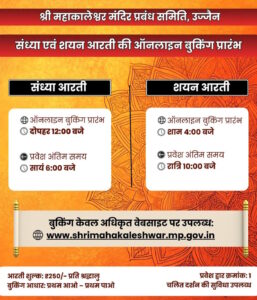
Devotees who wish to attend the Mahakaleshwar Bhasma Aarti in Ujjain must register through the official Shri Mahakaleshwar Temple Management Committee website. Bhasma Aarti booking is managed by the temple authority, not by Bhasmarti.com. This guide explains where to register, how to use the official portal, what to check before submitting an application and how to get help with booking-related problems.
Official Mahakaleshwar Bhasma Aarti Registration Website
The official website for Mahakaleshwar Temple services is:
Shri Mahakaleshwar Temple – Official Bhasma Aarti Booking Portal
Use this official website for actual Bhasma Aarti registration. The temple portal provides access to Bhasma Aarti services, including advance and Tatkal booking options when available.
Bhasmarti.com is an independent information website. We do not issue, approve, reserve or guarantee actual Bhasma Aarti tickets.
How to Register for Mahakaleshwar Bhasma Aarti Online
The temple’s official booking system may update its interface and registration requirements. The following general steps explain how to start the process. Follow the exact instructions displayed on the official portal on the day you apply.
Step 1: Open the Official Temple Website
Visit shrimahakaleshwar.mp.gov.in and open the Bhasma Aarti service. You can also use the direct Bhasma Aarti booking page.
Step 2: Log In with Your Mobile Number
The official portal displays a mobile-number login facility. Enter your mobile number and complete the verification process shown on the website.
Step 3: Select the Available Bhasma Aarti Booking Option
Check the available booking options, which may include advance and Tatkal booking. Select the option and date shown as available on the official portal.
Step 4: Read the Current Booking Instructions
Before proceeding, carefully read the date-specific conditions, eligibility requirements, number of devotees permitted, identity-document requirements and any applicable charges shown on the portal.
Step 5: Enter the Devotee Details
Fill in the applicant and accompanying devotee details exactly as requested. Make sure names, mobile numbers and identity information are accurate.
Step 6: Complete the Application
Submit the required information and complete any verification or payment step displayed by the official website. Do not assume that filling in the form alone means your booking is confirmed.
Step 7: Check the Booking Confirmation
After submitting the application, check the status and confirmation message on the official portal. Save or download the booking receipt or confirmation document if provided.
Step 8: Follow the Instructions for Your Visit
Read the reporting time, entry gate, permitted items, dress code and original identity-document requirements mentioned in your confirmation or the latest temple instructions. Follow the instructions applicable to your selected date.
Advance Bhasma Aarti Booking and Tatkal Booking
The official temple website provides advance and Tatkal Bhasma Aarti booking options. These are separate booking routes, and their availability depends on the dates and quota displayed by the temple authority.
Advance Booking
Advance booking is intended for devotees planning their visit ahead of time. Check the official portal for the dates currently open for registration and the applicable booking conditions.
Tatkal Booking
Tatkal booking is intended for eligible devotees seeking a booking closer to the date of the Aarti. It is subject to the availability and schedule published by the temple authority.
Do not rely on old screenshots, forwarded messages or previously published booking-opening dates. The official portal and temple announcements should be treated as the source of current information.
Documents and Details to Keep Ready
The exact document requirements must be checked on the official booking form. Before starting the application, it is useful to keep the following information accessible:
- Applicant’s active mobile number.
- Correct personal details of the applicant.
- Details of accompanying devotees, if the application permits them.
- Identity document requested by the official portal.
- Photograph or other upload, if specifically requested by the current form.
- Payment method, if a payment is required for the selected booking option.
Enter information carefully and ensure that the details match the identity documents. Do not upload documents to unofficial websites or share OTPs with anyone claiming to arrange a ticket.
Is Mahakaleshwar Bhasma Aarti Booking Free?
Do not assume that every booking category has the same charges or conditions. Check the applicable amount, if any, on the official temple portal before completing the application.
Any payment should be made only through the payment facility displayed on the official website. Do not transfer money to an individual or agent on the promise of a guaranteed official ticket.
How to Check Your Bhasma Aarti Booking Status
Use the official temple portal to check the status of your application. Log in using the registered mobile number and follow the available booking or application-status options.
If the portal provides a confirmation receipt, download and retain it. Check the confirmation details carefully, including the date, devotee names and reporting instructions.
An application submission message, payment receipt or OTP should not automatically be treated as a confirmed entry permission. Follow the final status shown by the temple authority.
Important Rules After Bhasma Aarti Booking
A confirmed booking does not remove the need to follow the temple’s entry and security rules. Before travelling, read the instructions issued for your selected date.
- Carry the original identity document required by the temple.
- Keep your booking confirmation or receipt accessible.
- Reach the reporting location at the time mentioned in your confirmation.
- Follow the dress code and security instructions applicable to your booking category.
- Do not carry prohibited items into restricted areas.
- Do not assume that a booking can be transferred to another person.
- Follow instructions from authorised temple staff.
For more information, read our Mahakaleshwar Bhasma Aarti rules and Bhasma Aarti guidelines. Always compare these guides with the latest official instructions.
What to Do If You Face a Booking Problem
If you face a login problem, payment failure, missing confirmation or another booking issue, contact the Shri Mahakaleshwar Temple Management Committee through its official helpdesk.
Official temple helpdesk: 1800-233-1008
Other contact numbers: 0734-2550563 and 0734-2559277
Email: office@mahakaleshwar.nic.in
For a payment marked successful but no ticket or confirmation generated, retain the transaction reference and contact the official helpdesk. The official help page also provides guidance for failed or aborted transactions and payment-related complaints.
Visit the official temple help and contact page for current assistance information.
Can You Book Bhasma Aarti Through Bhasmarti.com?
No. Bhasmarti.com does not issue or confirm official Mahakaleshwar Bhasma Aarti tickets. Actual participation in the temple’s live Aarti requires the booking or permission process managed by the Shri Mahakaleshwar Temple Management Committee.
Our website provides information to help devotees understand the temple, its rituals and the official booking process. We do not claim to have access to the temple’s ticket quota or booking system.
Unable to Get an Actual Bhasma Aarti Ticket? Explore the VR Experience
If you are unable to attend the live Bhasma Aarti in person, you may consider a separate virtual reality experience. VR Bhasma Aarti is a virtual experience and is not an official temple entry ticket or permission to participate in the live ritual.
Experience Mahakaleshwar Bhasma Aarti in VR
Explore a virtual Bhasma Aarti experience from wherever you are. This is a separate VR experience and does not provide physical entry to the temple or an official Aarti booking.
Frequently Asked Questions About Bhasma Aarti Registration
1. What is the official website for Mahakaleshwar Bhasma Aarti booking?
The official Shri Mahakaleshwar Temple website is shrimahakaleshwar.mp.gov.in. Use its Bhasma Aarti service for actual registration.
2. Can I register for Bhasma Aarti online?
Yes. The temple management committee provides an online Bhasma Aarti booking service through its official website. Availability and conditions depend on the booking dates and options displayed there.
3. Is advance booking available?
The official portal provides an advance booking option when dates are open. Check the current booking calendar and instructions on the official website.
4. What is Tatkal Bhasma Aarti booking?
Tatkal booking is a separate booking option for dates closer to the Aarti. Its opening schedule, eligibility and availability must be checked on the official portal.
5. What documents are required for Bhasma Aarti registration?
Keep your mobile number and identity information ready. The current official application form will specify which identity documents, photographs and other details are required.
6. Is Bhasma Aarti booking free?
Charges and conditions can depend on the booking option. Check the amount, if any, displayed on the official portal before submitting your application or payment.
7. How can I check whether my Bhasma Aarti booking is confirmed?
Log in to the official temple portal and check the application or booking status. Retain the confirmation receipt if one is generated.
8. Whom should I contact if payment is deducted but no ticket is generated?
Contact the official temple helpdesk at 1800-233-1008 or 0734-2550563 / 0734-2559277. Keep your transaction reference and payment details available.
9. Can Bhasmarti.com arrange an official Bhasma Aarti ticket?
No. Bhasmarti.com does not issue, reserve or guarantee official live Bhasma Aarti tickets. Actual booking is managed by the Shri Mahakaleshwar Temple Management Committee.
10. What can I do if I cannot get an actual Bhasma Aarti ticket?
You can check the official portal again for availability or explore a separate VR Bhasma Aarti experience. The VR experience is not a substitute for an official live Aarti ticket.
11. Is offline Bhasma Aarti booking available?
The earlier offline application-counter service described in older online guides has been discontinued. Use the current official online booking process and do not rely on old counter instructions.
12. Where can I find the latest Bhasma Aarti rules?
Check the official temple website and its current booking instructions. You can also read our Bhasma Aarti rules guide and visitor guidelines.